How To Use The App
Welcome to the BG Emitters app — your tool for creating personalized BioGeometry energy emitters to harmonize your environment and support your well-being. Here is a step-by-step tutorial on how to create, customize, and use your own emitter.
Watch Video Tutorial
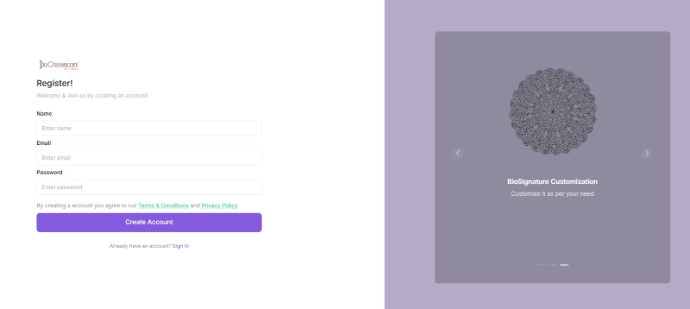
STEP 1: Create an Account / Log In
Tap Register to create your account using your name, email, and password.
If you already have an account, simply sign in through the login tab on the top right.
STEP 2: Dashboard Overview
Once you’re logged in, you’ll land on your dashboard
This is where you can:
• Create a new emitter
• Manage your existing emitters
• Use Preset emitters
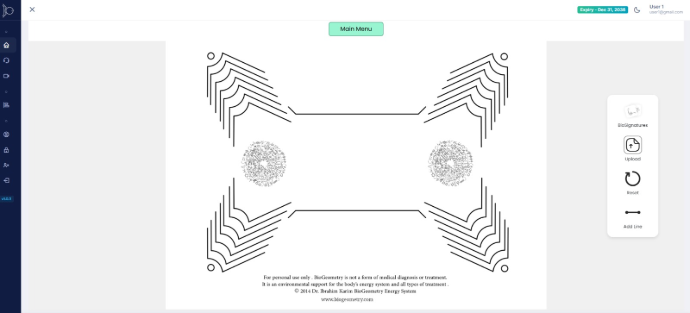
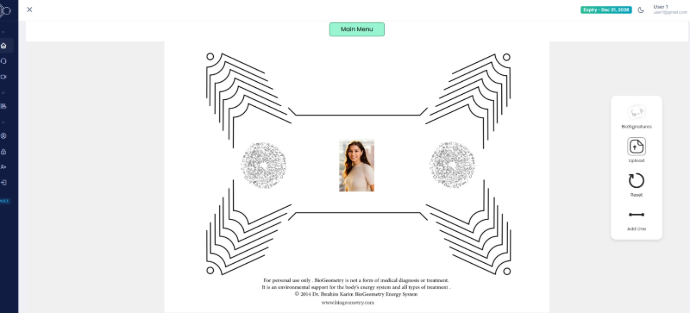
STEP 3: Understanding Emitters
An emitter is a BioGeometry design made up of BioSignatures — geometric patterns that resonate with energy flows in the organs of the body.
In the center, you’ll place a photo. This connects the emitter specifically to a person for remote energy harmonization
STEP 4: Create a New Emitter
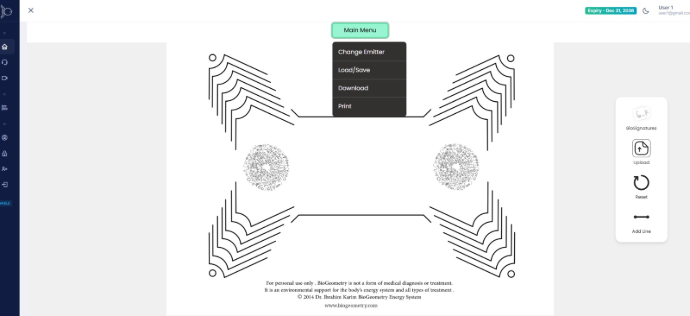
Go to the Main Menu and click on Change Background
“You’ll now:
1. Choose a preset emitter OR
2. Build your own custom emitter
“Presets are great for beginners. Custom emitters give you full control.”
STEP 5: Customize Your BioSignatures
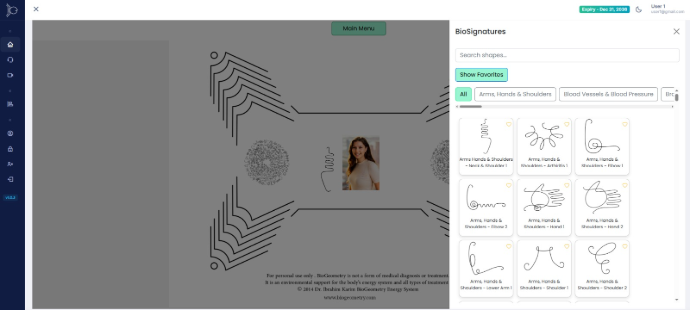
In the center of the emitter, upload a photo from the Upload tab on the right menu bar
This photo carries the energetic signature of the person, allowing the emitter to work in resonance with them.
It doesn’t have to be recent, as the energy that it will resonate with is now through the shape information on the photo, so no one else should be in the photo.
Then click on the BioSignatures tab and you can select which BioSignatures to include from the categories of BioSignatures.
These are arranged around the photo leaving some space between them, each one supporting a different energetic function.
Take your time here — this is where you tailor the emitter to your energetic disturbances
STEP 6: Download & Print
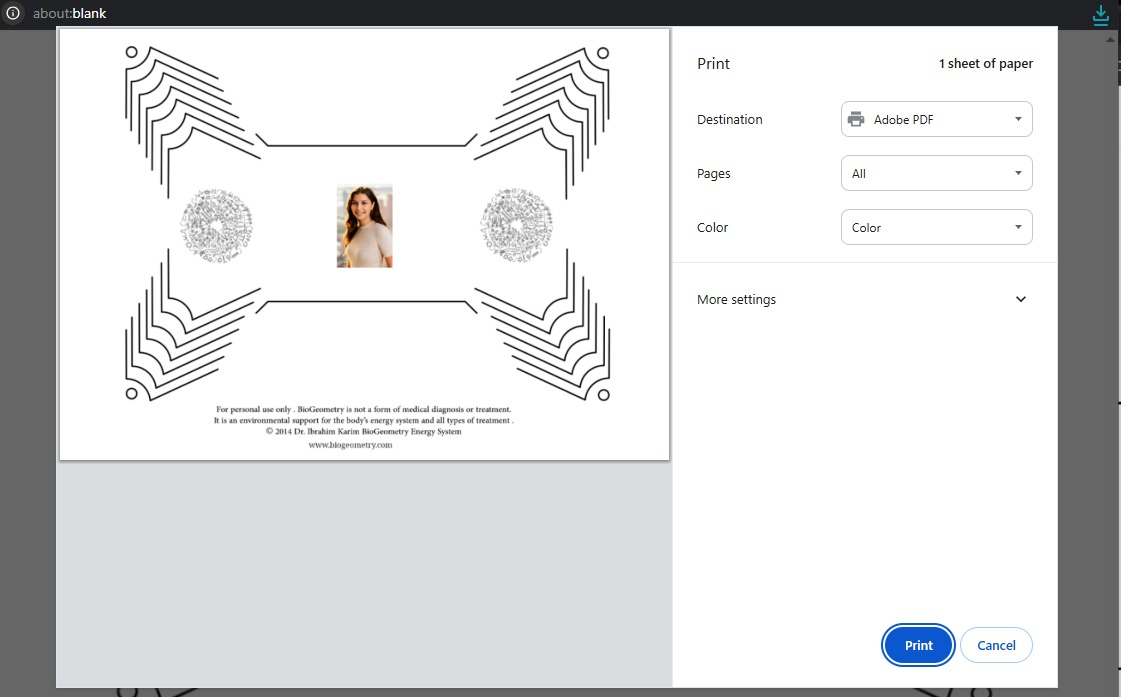
Once your emitter is ready, download by clicking on the download button under the Main Menu.
You can also Print it at the correct scale — this is important for proper function
Or you can Save it, by clicking the Save tab and a window will appear to save current canvas. It will be saved for 10 days.
STEP 7: How to Use the Emitter
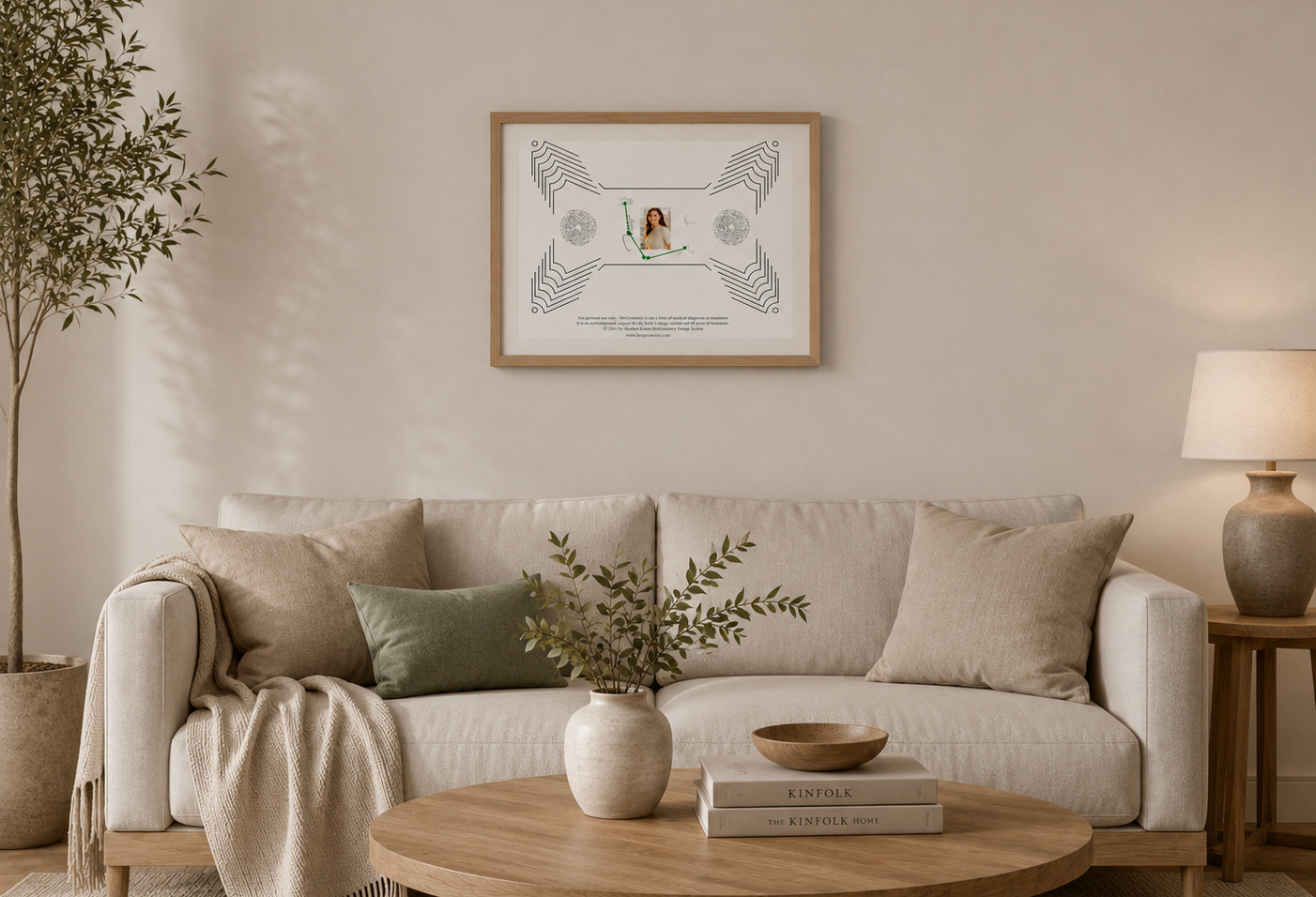
“Place the printed emitter in your space — for example:
• On a wall
• On a table
Avoid laminating, as it will impregnate faster or covering it, and don’t keep it hidden in a drawer
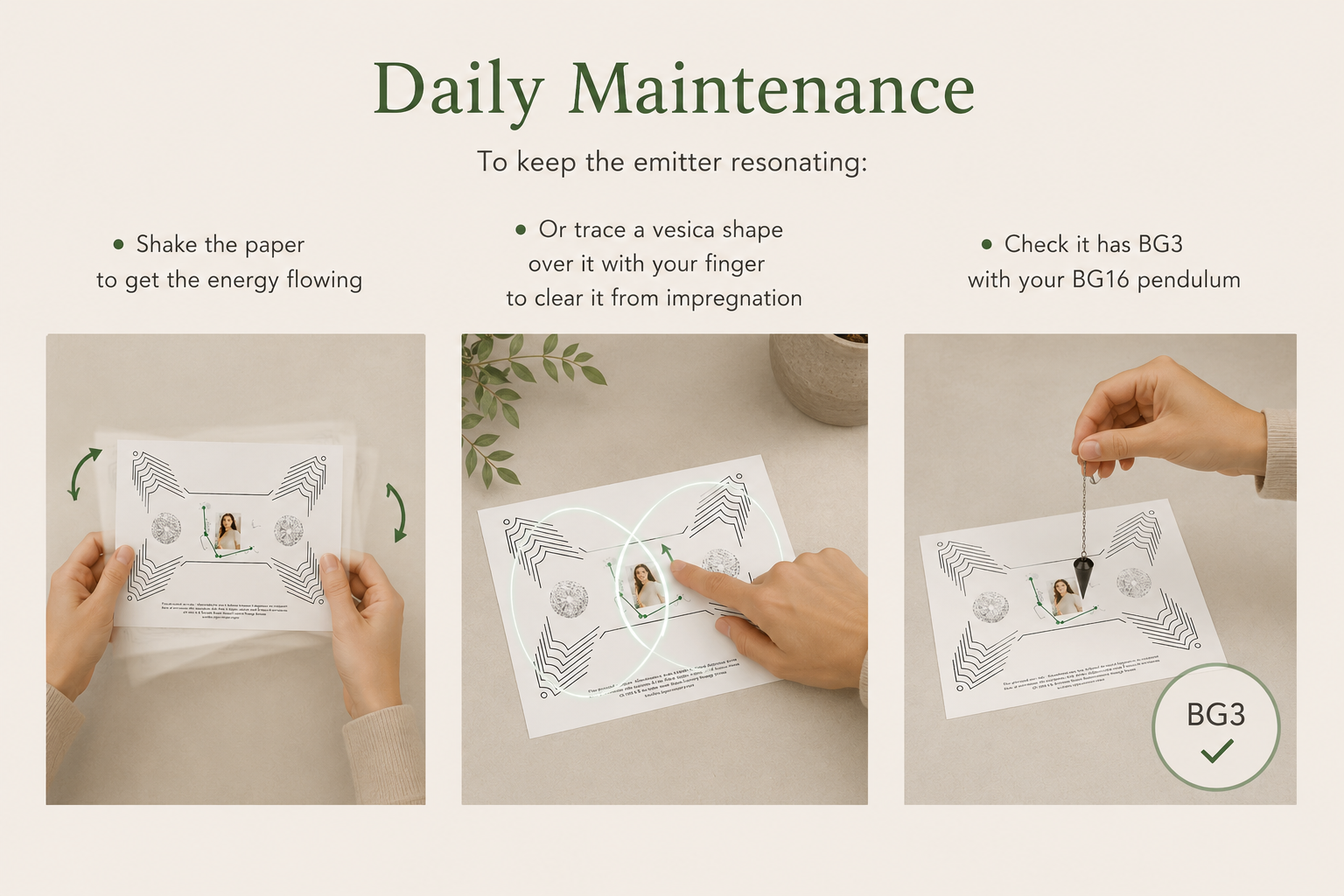
STEP 8: Daily Maintenance
To keep the emitter resonating:
• Shake the paper to get the energy flowing
• Or trace a vesica shape over it with your finger to clear it from impregnation
• Check it has BG3 with your BG16 pendulum